Skip to content
FERRO
Open the app

Trial version

FERRO

The gym app that logs your sets even without signal.

More lifting. Less hassle.

offline · no subscription · no password · data on your phone

FERRO is a free personal project in trial: the terms may change and the service may become unavailable.

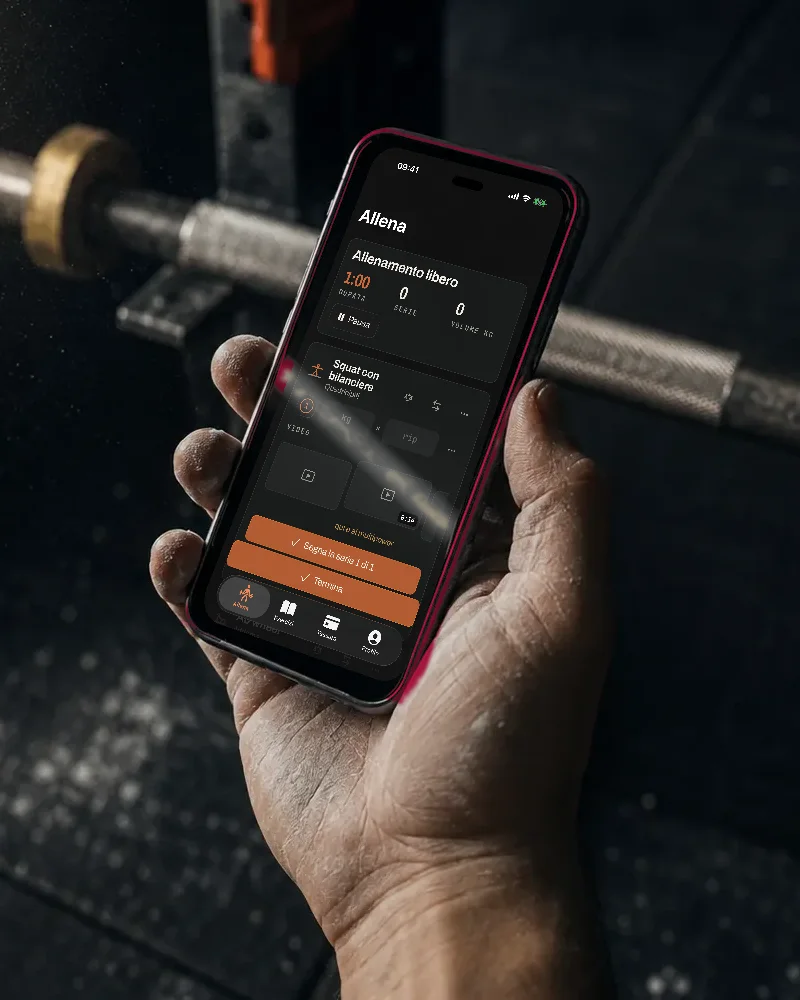
A chalky hand holds an iPhone with FERRO open, in front of a barbell in a gym

FERRO in five numbers

  • 287exercises in the catalogue
  • 336videos checked one by one
  • 49stations recognised
  • 3languages: Italian, English, Spanish
  • €0to use the app

STEPS

01

ENTER

Scan your gym’s entry code, the one on your card: if it is fixed, FERRO keeps it and shows it full screen, with the brightness at maximum, even where there is no signal. If your gym regenerates it all the time it cannot be saved: then you use it this way, by saving the link to its member page, which opens as it is. FERRO does not call it and reads nothing from it.

The code and the link stay on the phone, in the app’s vault (locked with a PIN or fingerprint, if you turn them on), and never leave.
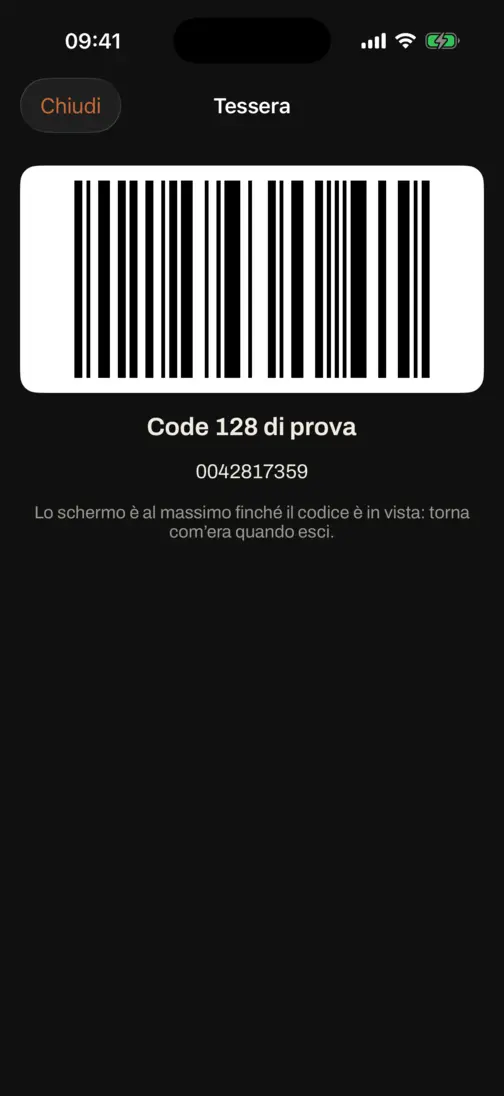
The gym card full screen: the code, large, with the brightness at maximum

02

LOG

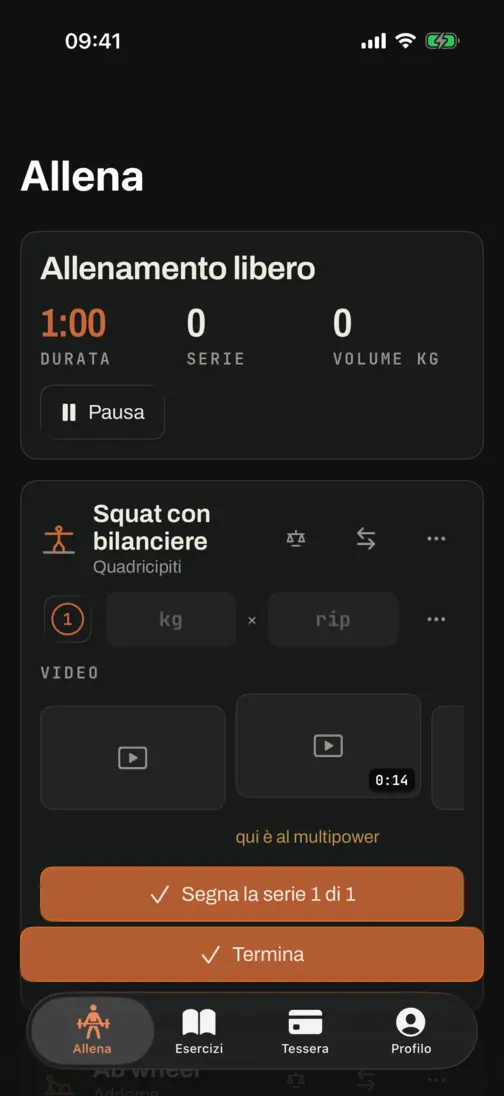
Sets arrive pre-filled with what you did last time. You tick one and the rest timer starts by itself, or only when you press it if you turn that off in the settings. A set you skip stays there, marked as skipped instead of disappearing, and goes back to done if you tick it. Records are recognised as you make them.

The workout screen: the sets with weight and reps

03

LEARN

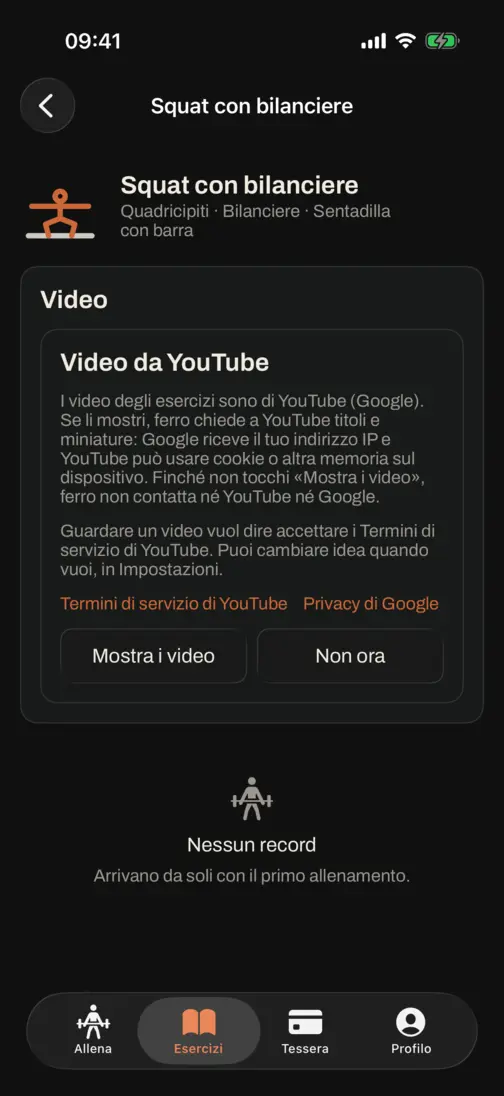
More than 280 exercises with demo videos: 284 of the 287 in the catalogue. FERRO puts the videos in the language you are reading first, and each video has that exercise’s name in its title.

You can add videos and channels as you like. The screen next to this is the first time: FERRO asks for your permission before contacting YouTube, and until you give it no request is sent.

An exercise page: the YouTube videos show only after you consent

The rest, when you need it

Four things that exist so the three steps work.

Finding one exercise out of 287

The muscle chips sit above the list. The other filters live in a separate sheet: equipment, one of the 49 stations, guided, one limb at a time.

A programme made of your exercises

You pick the exercises, say how many days, and they are dealt out like cards: every day gets a bit of each muscle group.

Or a ready-made template

Full body in three days, upper / lower in four, push / pull / legs, and five days.

A coach, if you have one

You mark somebody as your coach and they send you programmes. At the end of a session one button sends them only the workout: exercises, loads, reps, duration. Not the notes, not the photos, not the measurements.

FERRO and the others

FERRO is among the best training apps. Below, six of the most used apps, checked against their own official pages. Where it says “not stated” the company does not say it anywhere: it does not mean the answer is no.

FERROStrongHevyJefitFitbodMyFitnessPalFitNotes
Works with no networkyesnot statednot statednot statedpartlypartlynot stated
Data stays on the phoneyesnononononoyes
Videos that show the exercisesyespartlyyesyesyesnono
Pricefreefreemiumfreemiumfreemiumsubscriptionfreemiumfree

Collected on 20 August 2026 from each app’s official site, store listing and help centre.

Privacy centered

Serverless, yet online

Your workouts live on your device, not on a server of ours: delete the app and they go with it, and they export to a file. It goes online only if you switch it on: to sync your devices with the data encrypted, to share with friends, or to send your last workout to your coach. Weight, measurements and progress photos never leave the phone.

A vault on your phone

The keys and credentials you save sit in an encrypted vault: without your unlock they do not open, not even by reading the browser storage.

Sharing with a QR

The QR of a workout contains the workout itself, compressed: that is why nothing about it is kept on a server, and nothing expires.

How to install it

FERRO opens in the browser and is added to the Home Screen: from there it runs full screen and without a network.

  1. Open the link in Safari.
  2. Tap Share, then “Add to Home Screen”.
  3. Open it from the icon: it works in airplane mode too.

On Android it is done from the Chrome menu.

iPhone and Apple Watch

The iPhone app is coming too, with the Apple Watch one: the same screens, rebuilt with iOS glass, with the same catalogue and the same words. Apple Watch and Health are still experimental.

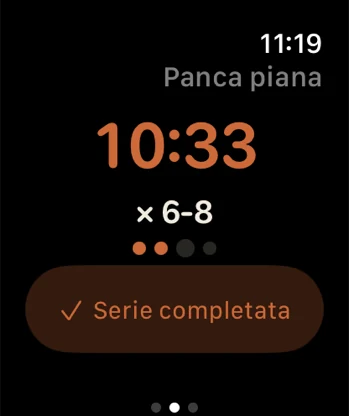
The app on the Apple Watch: the exercise name, the stopwatch, the set target and the dots for the sets done

The watch

It records the workout, keeps the screen awake while you are under the bar, measures your heart rate and shows what you need right then: the time, the target for the set and how far along you are.

It does not type the loads: on a 46 mm face, with chalk on your hands, the phone does that.

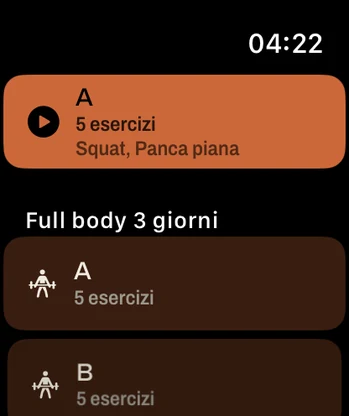
The app on the Apple Watch: the list of the phone’s programmes, with their days and how many exercises each holds
The phone’s plans, on your wrist
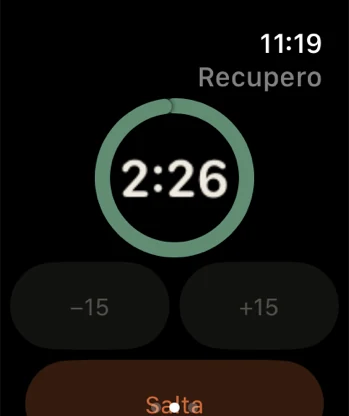
The app on the Apple Watch: the rest ring emptying, with the time left in the middle
Rest starts on its own

It is not on the App Store yet: it is coming, and until Apple has approved it a date here would be a promise rather than a fact.

FAQ

Do I need an account?
No, there is nothing to sign up for: FERRO works straight away, on your device and without a connection too. A profile is created only if you turn on Together or sync.
Is this a final version?
No: FERRO is a trial version, personal and free, and it may change. If the Terms change in a substantial way we publish it on the website at least 30 days ahead; if the service ends we announce it with reasonable notice.
Why is there an iPhone app too?
A web page on iPhone cannot talk to the Apple Watch or to Health: there is no Web API for it, and adding it to the Home Screen does not change that. That is why there is a native app as well.
Whose videos are they?
Videos play inside the official YouTube player. FERRO does not host, download or re-upload any video: it only points at the moment worth watching. The videos belong to the channels that published them, each credited by name underneath. FERRO has no relationship with any of them and is neither endorsed nor sponsored by anyone.
I own a channel and do not want to appear
Just say so and it all comes down, no argument and no questions asked. For a removal, or anything else at all, write here: my email